AIUnpacker Review Score
4.6
Features
4.7
Ease
4.6
Value
4.4
Support
What we like
- Free individual plan includes unlimited recordings and transcriptions
- Works with Zoom, Google Meet, and Microsoft Teams
- AI summaries, action items, clips, and searchable transcripts reduce follow-up work
What could be better
- Meeting recording still requires clear consent and a thoughtful privacy policy
- Advanced summaries and team workflows require paid plans
- AI summaries can miss nuance when audio quality, speaker labels, or meeting structure are poor
The Verdict
"Fathom is one of the strongest AI meeting assistants for people who spend their day in Zoom, Google Meet, and Microsoft Teams, especially when meeting notes need to become searchable records, CRM updates, or team follow-ups."
Editorial Disclosure & Testing Notice
This review is published for informational and educational purposes only. It is not a substitute for professional advice. Our scoring is never influenced by compensation; reviews combine product research, public documentation, pricing checks, and hands-on evaluation when access is available.
- For educational purposes only. Scores reflect our editorial opinion at the time of review, not a guarantee of vendor performance.
- Editorial independence. Vendors cannot pay to influence scores. Sponsored reviews and paid placements are always labeled.
- Opinions are our own. Also, we are not affiliated with the companies we review unless explicitly stated.
- Pricing & features change. Always verify on the vendor's site before purchasing.
- Last verified: . Published .
Read more on our About page, Editorial Policy and How We Review.
Fathom Review: The Practical Verdict
Fathom is one of the easiest AI meeting assistants to recommend because it solves a boring but expensive problem: people forget what happened in meetings. They forget the exact promise made to a client, the product feedback buried in minute 37, the action item that was mentioned but never assigned, and the objection that should have gone into the CRM. Fathom records, transcribes, summarizes, clips, searches, and organizes meetings so the work after the call is less fragile.
The product is strongest for people who live in meetings: sales reps, customer success teams, recruiters, consultants, founders, account managers, product researchers, managers, and agencies. It is also useful for solo professionals because the free plan is unusually generous. Fathom’s current pricing page lists unlimited recordings, unlimited transcription, unlimited recording length, unlimited storage, instant AI call summaries, clips, playlists, and search across calls on the free individual plan.
That does not mean everyone should roll it out without thinking. Meeting assistants touch sensitive information. They can capture names, emails, calendars, recordings, transcripts, customer details, employee comments, health information, financial details, legal topics, and private strategy. The software can save hours, but teams still need consent, retention rules, access controls, and a clear policy for what should and should not be recorded.
My verdict: Fathom is worth it if meetings create follow-up work, customer knowledge, sales process, hiring decisions, or team accountability. It is less valuable if your calls are rare, casual, or too sensitive to record. The free plan is a strong starting point; the paid plans make sense when you need better summaries, action items, CRM sync, shared team visibility, SSO, coaching, or custom retention.
What Fathom Does
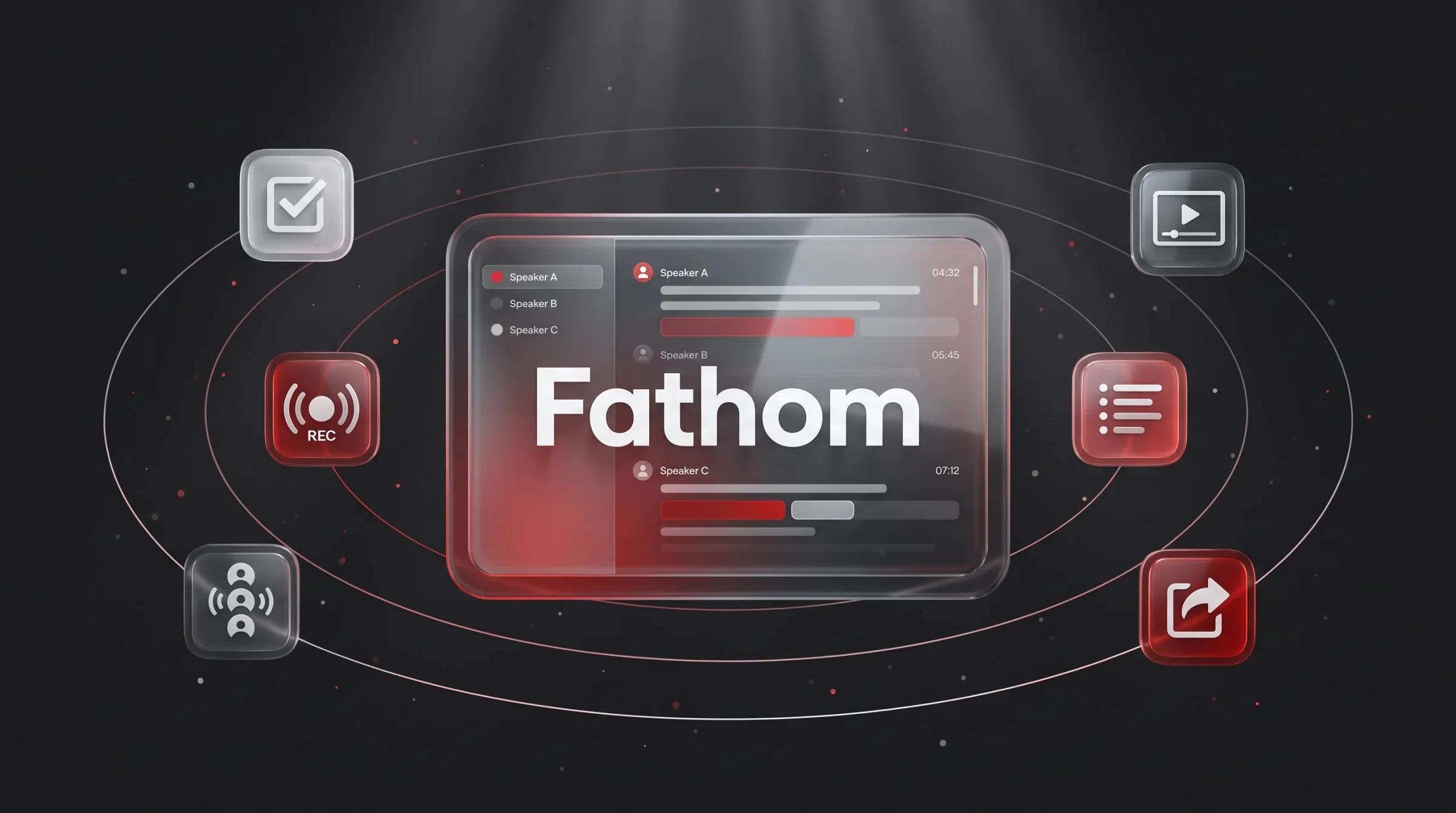
Fathom is an AI meeting assistant for Zoom, Google Meet, and Microsoft Teams. It joins or captures meetings, records them, creates transcripts, generates summaries, extracts action items, lets users create clips and highlights, and makes meetings searchable afterward.
The important part is that Fathom is not just a recorder. A basic recording is often a graveyard. Someone says “I’ll send you the recording,” and then nobody watches it. Fathom tries to turn the meeting into structured knowledge: summary, transcript, highlights, action items, searchable moments, shared playlists, CRM notes, and integrations.
For an individual, that may mean finishing a call and immediately having a clean recap to send to a client. For a sales team, it may mean call summaries that sync to Salesforce or HubSpot, coaching metrics for managers, deal views, scorecards, keyword alerts, and shared libraries of important calls. For a product team, it may mean preserving customer language from interviews and making research searchable. For recruiters, it may mean consistent interview notes and follow-up tasks.
Fathom is best when it becomes part of the workflow. If the summary stays inside Fathom and nobody uses it, the value is limited. If the summary becomes a CRM note, a Slack update, an Asana task, a customer success handoff, or a searchable record for future work, the value compounds.
Recording and Transcription
Fathom’s first job is capturing the meeting. It supports Zoom, Google Meet, and Microsoft Teams, which covers the main video platforms most teams use. The official pricing page also mentions a choice of bot-free and bot capture types, with bot-free listed as a beta feature for Mac. That is worth noting because some teams dislike visible meeting bots, while others prefer the transparency of a participant-style recorder.
The free plan’s unlimited recording and transcription is the standout value. Many meeting tools restrict recording minutes or transcription hours early. Fathom’s free tier makes it possible for an individual to use the product heavily before paying.
Still, transcription should be treated as useful, not perfect. Accuracy depends on audio quality, microphone setup, speaker overlap, accents, domain vocabulary, background noise, meeting structure, and whether participants talk over each other. Fathom offers customized transcription vocabulary on team plans, which can help with company names, product terms, acronyms, and industry language.
For internal status calls, a few transcript errors may not matter. For sales calls, legal calls, HR meetings, medical discussions, compliance reviews, board meetings, or anything where wording matters, users should verify the transcript before relying on it. The transcript is a record, but not always the record.
AI Summaries and Action Items
Fathom’s summaries are where most users feel the time savings. Instead of manually writing notes while trying to listen, you can focus on the conversation and review a generated recap afterward. The free plan includes instant AI call summaries. Premium adds advanced call summaries, AI-generated action items, a conversational meeting assistant, and a custom meeting bot.
The best summaries do three things: explain the main topic, identify decisions, and capture next steps. Fathom is useful because it can create a starting point fast. After a sales discovery call, you can send a follow-up email while the context is still fresh. After a product interview, you can clip the customer quote that matters. After an internal planning call, you can turn action items into tasks.
The limitation is that AI summaries can flatten nuance. A tense customer comment may become a polite bullet. A tentative next step may become a firm action. A joke may look like a decision. A vague commitment may get assigned to the wrong person. This is not a Fathom-only problem; it is a meeting-AI problem.
The right workflow is simple: let Fathom draft the notes, then review before sharing externally or pushing to a CRM. For low-risk internal calls, the generated summary may be enough. For customers, candidates, executives, or regulated work, spend a minute checking the recap.
Ask Fathom and Meeting Search
Fathom’s search features are a major reason it becomes valuable over time. A transcript for one call is useful. A searchable library of calls is much more powerful. The pricing page lists attendee and keyword search for individual meetings, Ask Fathom inside a single call, account-wide Ask Fathom in beta, and attendee and keyword search across team meetings on team plans.
Ask Fathom works like a conversational layer over meeting content. Instead of scanning a transcript manually, you can ask what the customer said about pricing, what objections came up, what next steps were agreed, or whether a competitor was mentioned. For managers and customer-facing teams, this can save real time.
The danger is overconfidence. Search and chat over meeting content are only as good as the captured transcript and the model’s interpretation. If the audio missed a section or speaker labels are wrong, the answer may be incomplete. For important matters, use Ask Fathom as a shortcut to the relevant moment, then replay or read the original context.
For teams, global search across shared calls can become institutional memory. New sales reps can study real objections. Product managers can find customer quotes. Customer success managers can review account history. Leaders can look for patterns without asking every rep to manually summarize every meeting.
Clips, Playlists, and Highlights
Fathom’s clips and highlights help solve a classic recording problem: nobody wants to watch a full 60-minute meeting to understand one important moment. A clip can show the exact customer quote, objection, commitment, demo reaction, or decision.
This is especially useful for sales coaching. A manager can review the moment a rep handled pricing, discovery, next steps, or competitive pressure. It is also useful for product research because real customer language is more persuasive than secondhand paraphrasing. A 45-second clip of a customer struggling with a workflow can be more useful than a page of notes.
Playlists make highlights reusable. A team can collect examples of great discovery questions, common objections, onboarding issues, product feedback, or support escalations. That turns meetings into training material.
The privacy caveat is important. Clips are easy to share and easy to misuse. Teams should decide who can create clips, who can access them, whether external sharing is allowed, and how long clips should be retained. A highlight is still meeting content.
Integrations and Workflow
Fathom’s integrations make the tool more useful than a standalone recorder. Its official integrations page lists Salesforce, HubSpot, Slack, Asana, Zapier, Google Meet, Zoom, Microsoft Teams, ChatGPT, Claude, and a public API and MCP developer hub. Fathom also highlights the ability to bring meeting context into ChatGPT and Claude on every plan.
For sales teams, the CRM integrations matter most. Fathom can sync call summaries and highlights to matching contacts, accounts, and open opportunities in Salesforce. HubSpot support helps keep meeting context tied to customer records. Business-tier CRM field sync can push structured data into CRM fields, reducing manual admin work.
For operations teams, Zapier and API access expand the workflow. New action items can become Asana tasks. New summaries can be sent to Slack. Transcripts can be stored in knowledge systems. Meeting content can become part of downstream reporting or internal automation.
The practical test is whether Fathom reduces duplicate work. If reps still write separate notes in the CRM, managers still ask for call summaries, and customer success still manually reconstructs account history, the integration is not doing enough. A good rollout should define where notes go and what humans still need to edit.
Team and Sales Features
Fathom’s Team and Business plans are where it shifts from personal productivity to team intelligence. Team adds shared team search, playlists of highlights from all team meetings, comments, folders, keyword alerts, customized vocabulary, and SSO. Business adds CRM field sync, Deal View, coaching metrics, AI scorecards, custom data retention policies, and professional services availability.
For a sales team, Deal View and CRM field sync are the most interesting Business features. The goal is to make meeting content usable at the deal level, not only at the call level. A manager or rep should be able to understand customer pain, next steps, objections, decision criteria, and risk without watching every recording.
Coaching metrics and AI scorecards are useful, but they should be handled carefully. Metrics can improve coaching when used constructively. They can also become shallow if managers rely on them without understanding context. Speaking ratio, question count, and talk patterns can be helpful signals, but they do not replace judgment. A great discovery call and a great crisis call may look different.
For customer success, Fathom can help with renewals, escalations, handoffs, onboarding, and QBR preparation. For recruiting, it can preserve interview details and reduce note-taking burden. For agencies and consultants, it can create cleaner client records and faster follow-up.
Pricing
Fathom’s pricing is one of its strongest advantages because the free individual plan is genuinely usable. At the time this review was checked, the official pricing page showed Free at $0 with unlimited recordings and transcriptions, bot-free or bot capture type, instant AI call summaries, clips, playlists, and search across calls.
Premium is listed for individuals at $20 per user per month when billed monthly, or $16 per user per month annually. It adds advanced call summaries, AI-generated action items, a conversational meeting assistant, and custom meeting bot options.
Team is listed at $19 per user per month monthly, or $15 per user per month annually, with a 2-user minimum. It includes everything from Premium plus global search across shared calls, team highlight playlists, comments, folders, keyword alerts, customized transcription vocabulary, and SSO.
Business is listed at $34 per user per month monthly, or $25 per user per month annually, with a 2-user minimum. It includes everything from Team plus CRM field sync, Deal View, coaching metrics, AI scorecards, custom data retention policies, and professional services options.
The best value depends on workflow. Solo users should start free, then upgrade to Premium only if advanced summaries, action items, and the conversational assistant save enough time. Teams should compare Team and Business based on CRM needs. If CRM field sync, coaching, deal intelligence, and custom retention matter, Business is the more relevant plan. If the goal is shared meeting search and collaboration, Team may be enough.
Privacy and Consent
Privacy is the biggest non-feature issue in any Fathom review. Fathom’s privacy policy defines meeting content information broadly, including meeting notes, recordings, audio, video, transcripts, names and emails of attendees, calendar information, and speaker identification. That is sensitive data.
Fathom’s privacy policy also notes that some states or countries require all parties to consent before recording audio or video meetings. Users are responsible for having the necessary permissions and consents from meeting participants. This is not a tiny footnote. It should shape how teams deploy the product.
The policy says users can opt out of Fathom using de-identified meeting content information to train, improve, and customize its in-house AI models, and that Fathom does not authorize third parties such as OpenAI, Anthropic, or Google to use personal information or meeting content to train their AI models. It also states that Fathom does not sell meeting content information or information about meeting attendees.
Business plans include custom data retention policies, which are important for companies that need governance. A startup may be fine keeping recordings for a long time. A legal, healthcare, financial, government, or enterprise buyer may need stricter retention, deletion, and access rules.
Before rolling out Fathom across a team, decide what meetings can be recorded, what meetings should never be recorded, how participants are notified, who owns recordings, who can share clips, how long data is retained, and what happens when an employee leaves.
Best Use Cases
Fathom is best for recurring workflows where meeting memory matters. Sales discovery, demos, customer success calls, onboarding, recruiting, user research, consulting, agency client calls, internal planning, and executive follow-ups are all strong fits.
It is especially good when the output needs to move somewhere else. A sales call summary should land in the CRM. A customer success action item should become a task. A product interview highlight should be shared with the product team. A candidate interview should become structured notes. A client call should become a clean follow-up email.
Fathom is less useful for users who rarely take meetings, teams that already have strict no-recording policies, or situations where people will speak less honestly if recorded. It is also not ideal if your organization needs specialized compliance controls beyond Fathom’s available plans.
Fathom vs Alternatives
Fathom competes with tools like Otter, Fireflies, Avoma, Gong, Granola, Read AI, and built-in meeting summaries from Zoom, Teams, and Google. Fathom’s biggest advantage is the free plan and its clean meeting workflow. It is easy to try and useful quickly.
Compared with Gong, Fathom is lighter and cheaper, but Gong is built more deeply around enterprise revenue intelligence. Compared with Otter and Fireflies, Fathom feels especially strong for fast summaries, clips, and sales-friendly workflow. Compared with built-in meeting summaries, Fathom is more cross-platform and more focused on turning meeting content into a searchable, integrated record.
The right choice depends on whether you need personal notes, team meeting search, CRM automation, sales coaching, or full revenue intelligence. Fathom sits in a practical middle: more powerful than a basic transcript tool, less heavyweight than a full enterprise sales platform.
Final Verdict
Fathom is worth using if meetings produce important follow-up. The free plan is strong enough that most individuals should simply try it with real calls. If it saves even a few minutes per meeting and improves follow-through, the value is obvious.
For teams, Fathom becomes more strategic. Shared search, clips, CRM sync, SSO, coaching, deal views, and retention controls can turn meeting content into a real operating asset. But that only works if the team agrees on governance and workflows.
The best way to use Fathom is not to record everything blindly. Use it with consent, clear rules, and human review for important summaries. When deployed thoughtfully, Fathom can make meetings less leaky, follow-ups faster, and customer knowledge much easier to find.
Reference Sources
Ready to try Fathom?
Start using it today and see the difference for yourself.
Related Topics
Weekly digest
Don't buy blind.
Weekly AI tool reviews and benchmarks delivered to your inbox.
No spam. Unsubscribe anytime.

AIUnpacker Editorial Team
Verified ReviewerA collective of engineers, journalists, and AI practitioners dedicated to providing hands-on, transparently disclosed analysis.