The short version
AI slide generators design beautiful decks but don't verify facts. This guide explains why research must come before slide design, walks through a 5-step cited workflow, and compares 2026 pricing for Gamma, Canva, Beautiful.ai, Copilot in PowerPoint, ChatGPT, and Claude.
Summarize with AI
Editorial Disclosure & Affiliate Notice
This content is published for informational and educational purposes only. It is not intended as a substitute for professional, legal, financial, or medical advice. AIUnpacker is funded through clearly labeled sponsored articles and reviews, relevant paid link placements, and affiliate commissions where disclosed. Commercial partnerships help fund the free editorial library. Sponsored work is labeled, and a payment does not change the verdict.
- For educational purposes only. Nothing here should be taken as a guarantee, recommendation, or professional recommendation.
- AI-assisted editing. Drafts are produced with AI assistance and get a human pass before they go up.
- Opinions are our own. Also, we are not affiliated with most tools we cover unless explicitly stated.
- Information may be outdated. Verify pricing, features, and policies directly with the vendor.
- Last reviewed: . Published .
Read more on our About page, Terms and Editorial Policy.
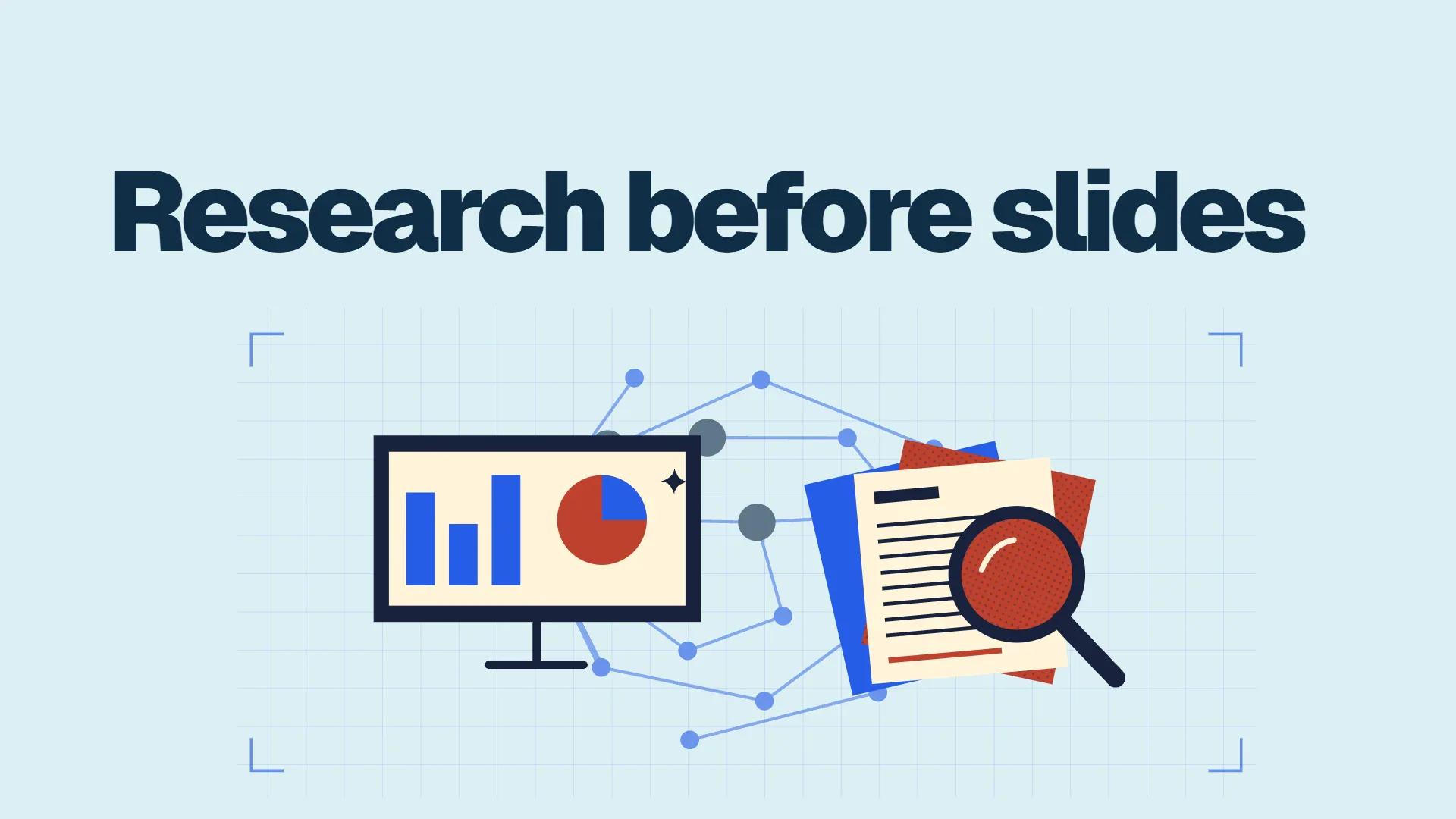
Research first, slides second, that ordering is what separates an AI deck that survives questions from one that looks polished while being quietly wrong. AI slide generators like Gamma, Canva’s Magic Design, Beautiful.ai, and Copilot in PowerPoint are excellent at turning a finished argument into good-looking slides. They don’t build the argument. Give one nothing but a topic and it will fill the gaps with confident-sounding numbers and citations that lead nowhere. Give it a sourced brief and the same tool produces a deck you can defend.
The rest of this piece is the workflow behind it.
Why research should come before slide design
Because slide generators optimize for how a deck looks, not whether it’s true. Their job is layout, hierarchy, imagery, pacing. The substance has to come from somewhere, and when you hand them only a topic, “somewhere” means the model’s training data, which includes stale statistics, blog-post numbers, and things that were never true at all.
Hallucination is when an AI states something false with total confidence: an invented statistic, a made-up quote, or a citation to a paper that doesn’t exist. Slide tools make this worse: they wrap questionable claims in charts, big type, and clean layouts: exactly what makes audiences stop questioning them.
The evidence on citation fabrication is blunt. In the most-cited study on the topic, Walters and Wilder prompted ChatGPT to write 84 short literature reviews and hand-checked all 636 citations against Google Scholar, PubMed, and other databases. 55 percent of the GPT-3.5 citations were pure fabrications. GPT-4 cut the rate to 18 percent, and even the real references were shaky: 43 percent of GPT-3.5’s legitimate citations contained substantive errors like wrong page numbers and dates (Walters & Wilder, Scientific Reports, 2023).
55% of the citations GPT-3.5 produced in a Scientific Reports study were fabricated: references to papers that never existed. GPT-4 still fabricated one in six. (Walters & Wilder, 2023)
A slide deck compounds the risk. A bad citation in a draft document gets caught by anyone who opens it. A bad citation on slide 7, rendered in 40-point type and presented to a room, just ships. Decks get forwarded, screenshotted, and repeated in meetings: the hallucination travels without its context.
The fix costs about half an hour. The alternative costs your credibility in front of whoever matters most.
Step one: run cited research before you touch a slide tool
Use a research mode that cites its sources, so every claim in your outline traces back to a link you can open. Two do this well right now, and both match their official documentation.
ChatGPT Deep Research plans and executes a multi-step investigation. It proposes a research plan you can review and edit, lets you restrict sources to specific websites or files you upload, then produces a structured report. OpenAI’s help center states that all Deep Research outputs include citations or source links, and reports can be downloaded as Markdown, Word, or PDF, which matters later in the workflow. Usage varies by plan, and free-tier access is limited (Deep Research in ChatGPT, OpenAI Help Center).
Claude Research, Anthropic’s equivalent, runs multiple searches that build on each other, and it can also pull from connectors: integrations with tools like Google Workspace. It’s limited to paid plans (Pro, Max, Ultra, Team, Enterprise), and on mobile it searches only the web, skipping your connectors (Use research on Claude, Claude Help Center).
Both are research tools, not design tools: that’s the point. Their citations do double duty: they make the report verifiable, and they become your fact-check key once the deck exists.
The five-step workflow: from question to delivered deck
Here’s the sequence to run for any deck that matters. It takes 60-90 minutes end to end, and most of that is steps one and four.
- Run cited research. Prompt Deep Research or Claude Research with the decision the deck supports, not just the topic: “should our retail clients adopt X in 2027, and what does the evidence say” beats “presentation about X.” Review the research plan before it runs, then export the report.
- Turn the report into a narrative outline. In the same chat, ask for a 10-12 slide outline where every slide has one headline message, two or three bullets, and a source link for every number. Cut here, in text, while editing is cheap. If a bullet has no source, it’s an opinion: decide deliberately whether it stays.
- Generate slides from the outline, not the topic. Paste the outline into your slide tool. Gamma builds decks from pasted text, with up to 10 slides per prompt on the free plan and up to 100 on Plus (Gamma pricing). Canva’s Magic Design shows you the outline for review before it generates slides (Canva AI presentation maker). Copilot in PowerPoint can build a deck from a Word document (Microsoft’s AI PowerPoint generator page). ChatGPT Slides can start from a file you attach (OpenAI Help Center).
- Fact-check against your sources. Open the report from step one and click every link behind every number on every slide. Verify the figure, the date, and that the source actually says what the slide claims. OpenAI itself advises checking exported presentations before using them: treat that as the minimum. Put a short source line on each data slide: it protects you, and it makes the deck more persuasive, not less.
- Write speaker notes and rehearse once. Notes carry the nuance the slides can’t hold: caveats, the “it depends,” the likely follow-up questions. Claude can create real.pptx files directly (Create and edit files with Claude), or you can paste your finished deck text into any assistant and ask for 60-90 seconds of notes per slide. Then present from the notes, not the slides.
Every step after research gets cheaper and safer, because the sources already exist.
AI presentation tools compared: research support, output, and price
Quick answer: pick the slide tool based on where you’ll finish the work, and pick the research tool separately. No mainstream slide generator does cited research itself.
| Tool | Built-in research support | Slide output | Price (verified November 2026) |
|---|---|---|---|
| ChatGPT (Deep Research + Slides) | Yes, cited Deep Research reports in the same window | Collaborative decks; export to PowerPoint, PDF, Google Slides; needs Pro, Business, or Enterprise | Plus $20/mo; Slides requires Pro, Business, or Enterprise (Pro tiers run $100-$500/mo per 2026 coverage) |
| Claude (Research + file creation) | Yes. Research on paid plans, with connectors; writes real.pptx files | Text-first decks; strongest speaker-notes path | Pro about $20/mo; Research not available on Free |
| Gamma | No cited research mode; generates from prompt, outline, or file | Fastest prompt-to-deck; web-style layouts; exports PPTX, PDF, PNG, Google Slides | Free (400 one-time credits); Plus ~1,500 credits/mo, paid plans from about $9-12/mo billed annually per roundups |
| Canva (Magic Design) | No, but it reviews the outline with you before generating | Deepest template library and brand tools; PPTX download | Free (~20 AI uses); Pro $12/mo billed annually per Zapier; Business $250/yr per person |
| Beautiful.ai | No | Enforced “smart slide” layouts, 300+ templates; PowerPoint import/export | Pro $14.50/mo billed annually; Team $40/user/mo annual; no free plan; 14-day trial |
| Copilot in PowerPoint | Partial: grounded in your Microsoft 365 files, not the open web | Native PowerPoint slides and editing | Needs eligible M365 base plan + Copilot license; Copilot Business add-on $18/user/mo first year (normally $21); Personal/Family include Copilot features |
A few honest notes on that table.
Gamma is the fastest route from outline to good-looking deck, and it’s arguably the most popular dedicated AI slide tool: the company’s own materials cite more than 70 million users. Its pricing page shows the tier structure (Free, Plus, Pro, Ultra); Zapier’s 2026 comparison lists Gamma’s paid plans from $9 per seat monthly billed annually (Zapier), and Gamma’s help center confirms the Plus plan’s 1,500 monthly AI credits, with rollover up to double your plan size (How credits work in Gamma).
Beautiful.ai is the opposite philosophy: layouts that enforce consistency, so every team deck looks like it came from the same designer. Its pricing is unambiguous on the vendor page. Pro at $14.50/month billed annually, Team at $40 per user monthly billed annually, a 14-day trial, and no free plan (Beautiful.ai pricing).
Canva is the pick when a deck is one asset among many: social posts, brand kits, print. Its pricing page shows Business at US$250/year per person and a tiered AI allowance (Free gets up to 20 uses; Pro multiplies that tenfold), though Zapier’s roundup puts the Pro price at $12/month billed annually (Canva pricing).
Copilot in PowerPoint is the only option grounded in your own files and org templates, which makes it the natural finish line for corporate decks, but the licensing is real money. Microsoft lists Business Standard with Copilot at $23.50 per user monthly (paid yearly) and the Copilot Business add-on at $18 per user monthly for the first year, normally $21, with the promo running through December 31, 2026 (Microsoft 365 Copilot pricing). Consumer Microsoft 365 Personal and Family plans include Copilot features in the apps; the full eligibility list lives on Microsoft Learn.
ChatGPT Slides collapses research and slide generation into one window, but it’s limited to Pro, Business, and Enterprise plans with Space access (OpenAI Help Center). For individuals, that’s the expensive path.
Claude has no slide-design surface, yet Research plus file creation (writing actual.pptx files) covers the whole path in one subscription, and it’s the strongest speaker-notes option among these tools.
Which tool fits which presenter
Short version, by situation:
- Student or one-off deck, zero budget: Canva Free or Gamma Free, plus the free tier of a research tool. Gamma’s 400 signup credits cover a small deck, and its free plan allows 10 slides per prompt.
- Marketer or small business already in Canva: stay there. Magic Design plus your existing Brand Kit beats learning a new tool.
- Corporate with Microsoft 365: Copilot in PowerPoint, if your org licenses it. Grounding in your own files is a genuine advantage for internal decks.
- Consultants, analysts, founders: research-heavy decks: Claude Pro (about $20/month) or ChatGPT Pro for Research, then finish in Gamma or PowerPoint. This is the audience the five-step workflow was built for.
- Teams that need every deck on-brand: Beautiful.ai Team. The enforced layouts are the feature.
The limits to plan around
The workflow has four soft spots. None are dealbreakers, but know them before you’re mid-deck.
- You’re gluing tools together. The best research modes don’t produce beautiful slides, and the best slide tools don’t do cited research. The workflow exists because no vendor has merged the two cleanly at a sane price.
- Credits punish regeneration. Gamma’s help center is refreshingly blunt: failed generations aren’t charged, but completed ones are (even if you don’t like them) and undo doesn’t refund credits. Fix the outline before you generate.
- Exports need a cleanup pass. Formatting rarely survives export perfectly: budget ten minutes for spacing, font substitutions, and broken chart labels.
- Grounding lowers the risk, not to zero. Even cited sources can be stale, misread, or wrong. Step four isn’t optional. Claude’s mobile research skips connectors, and Deep Research availability varies by plan and country.
- The decks can look the same. Everyone prompting the same tool with the same theme gets recognizable output. Custom branding sits behind paid tiers.
What to do next
If you present this week: run Deep Research or Claude Research today (30 minutes), build the outline in the same chat, generate slides in a tool you already pay for, then do the fact-check pass with the report open beside you. That’s one evening.
If you present constantly: pay for one research-capable plan and one slide tool, and template the five steps so the second deck takes half the time.
One rule to remember: no number goes on a slide without a source you’ve personally opened. It’s the cheapest credibility insurance in business.
FAQ
Should research come before slide design when using AI?
Yes. Slide generators design and arrange; they don’t verify. If you give them only a topic, they fill gaps from training data, which can include invented statistics and fabricated citations. Running a cited research phase first (ChatGPT Deep Research or Claude Research) gives the slide tool a factual outline to work from and gives you a source list to fact-check against.
What is the best AI presentation maker right now?
For most people, Gamma: it’s the fastest prompt-to-deck tool and exports to PowerPoint, PDF, and Google Slides. Canva wins if you need brand assets in the same place, Beautiful.ai wins on enforced design consistency, and Copilot in PowerPoint wins for Microsoft 365 organizations. None of them does cited research, so pair whichever you pick with Deep Research or Claude Research.
How do I make an AI presentation from a research report?
Export the report, then ask the assistant for a 10-12 slide outline with one message per slide and source links on every number. Paste that outline into your slide tool. Gamma accepts pasted text, Canva’s Magic Design reviews outlines before generating, and Copilot builds from Word documents. Then verify every number against the original sources and add speaker notes.
How much do AI presentation tools cost in 2026?
In November 2026: Gamma Free is $0 (400 one-time credits) with paid plans from about $9-12/month billed annually; Beautiful.ai Pro is $14.50/month billed annually with no free plan; Canva Business is $250/year per person; and Copilot needs an eligible Microsoft 365 plan plus a Copilot license: the Business add-on is $18/user/month for the first year (normally $21).
What are the main alternatives to Gamma?
Canva’s Magic Design for Presentations (template depth and brand tools), Beautiful.ai (rule-based smart layouts), Copilot in PowerPoint (native PowerPoint with your organization’s files), and ChatGPT Slides (collaborative decks on Pro, Business, and Enterprise plans). Claude is an indirect alternative: Research plus file creation produces real.pptx decks with speaker notes without a separate design tool.
Which AI slide tool is best for beginners?
Canva. The editor is familiar, the free plan includes Magic Design for Presentations with an outline-review step, and mistakes are easy to fix manually. Gamma is a close second: its free plan covers a 10-slide deck and the interface is simpler, but AI credits are one-time on the free tier, so regenerations cost you.
What are the main limitations of AI slide generators?
They don’t research or verify anything, so factual quality depends entirely on your inputs. Credits charge for generations you end up discarding, exports often need formatting cleanup, design output converges on similar looks, and advanced features like brand removal and Copilot licenses sit behind paid plans. Hallucinated statistics remain the biggest risk.
Can I use AI-generated slides commercially?
Generally yes: these tools are built for business decks. Beautiful.ai lists SOC 2 Type II certification, Gamma states SOC 2 Type II compliance, and Canva’s Business and Enterprise plans include Canva Shield AI output indemnity. Check your tool’s terms for generated images and content restrictions, and confirm your organization’s own AI policy before client delivery.
How do I stop AI from inventing statistics and citations?
Three habits: research with tools that cite sources (Deep Research or Claude Research), generate slides from your verified outline instead of a bare topic, and click every source link before presenting. The Walters and Wilder study found 55% of GPT-3.5’s citations were fabricated; grounded tools do far better, but a human fact-check pass is still what catches the rest.
I’m presenting next week: what’s the fastest safe workflow?
One evening: 30 minutes of Deep Research or Claude Research on your question, 15 minutes turning the report into a sourced outline, 20 minutes generating and tidying slides in the tool you already have, 20 minutes fact-checking every number against the report’s links, then speaker notes. Total: about 90 minutes for a deck you can defend.
Sources
- Deep Research in ChatGPT: OpenAI Help Center
- Creating and collaborating on slides in ChatGPT: OpenAI Help Center
- ChatGPT pricing
- Use research on Claude: Claude Help Center
- Create and edit files with Claude: Claude Help Center
- Gamma pricing
- How do credits work in Gamma?: Gamma Help Center
- Beautiful.ai pricing
- Canva pricing
- AI Presentation Maker: Canva
- Microsoft 365 Copilot plans and pricing
- License options for Microsoft Copilot: Microsoft Learn
- AI PowerPoint generator: Microsoft 365
- Walters, W. H. & Wilder, E. I. “Fabrication and errors in the bibliographic citations generated by ChatGPT.” Scientific Reports 13, 14045 (2023)
- The 6 best AI presentation makers in 2026. Zapier
Weekly digest
Get our weekly AI digest
The latest AI tools, prompts, and insights — short, useful, every week.

AIUnpacker Editorial
Articles are written for a specific question. Sponsored work is labeled.