

AIUnpacker Review Score
4.6
Features
4.8
Ease
4.4
Value
4.4
Support
What we like
- Strong translation quality with natural phrasing in many major language pairs
- Document translation can preserve formatting across common file types
- Glossaries, tone options, Write, API, and enterprise features support professional workflows
What could be better
- Language coverage is narrower than some broad consumer translators
- Exact pricing and available plans vary by country, currency, and product
- DeepL Write and Voice are separate products or plan-dependent features
The Verdict
"DeepL remains one of the best AI translation tools for professionals, especially when translation quality, document formatting, glossaries, and data handling matter more than having the largest possible language list."
Editorial Disclosure & Testing Notice
This review is published for informational and educational purposes only. It is not a substitute for professional advice. Our scoring is never influenced by compensation; reviews combine product research, public documentation, pricing checks, and hands-on evaluation when access is available.
- For educational purposes only. Scores reflect our editorial opinion at the time of review, not a guarantee of vendor performance.
- Editorial independence. Vendors cannot pay to influence scores. Sponsored reviews and paid placements are always labeled.
- Opinions are our own. Also, we are not affiliated with the companies we review unless explicitly stated.
- Pricing & features change. Always verify on the vendor's site before purchasing.
- Last verified: . Published .
Read more on our About page, Editorial Policy and How We Review.
DeepL Review: The Practical 2026 Verdict
DeepL is still one of the strongest translation tools for professional work. That sounds simple, but it matters because AI translation is no longer a tiny category. General AI chatbots can translate. Search engines can translate. Mobile keyboards can translate. Meeting apps can caption. Browser extensions can rephrase. In that crowded market, DeepL still has a clear reason to exist: it is built for people and companies that care about translation quality, terminology consistency, document handling, and secure language workflows.
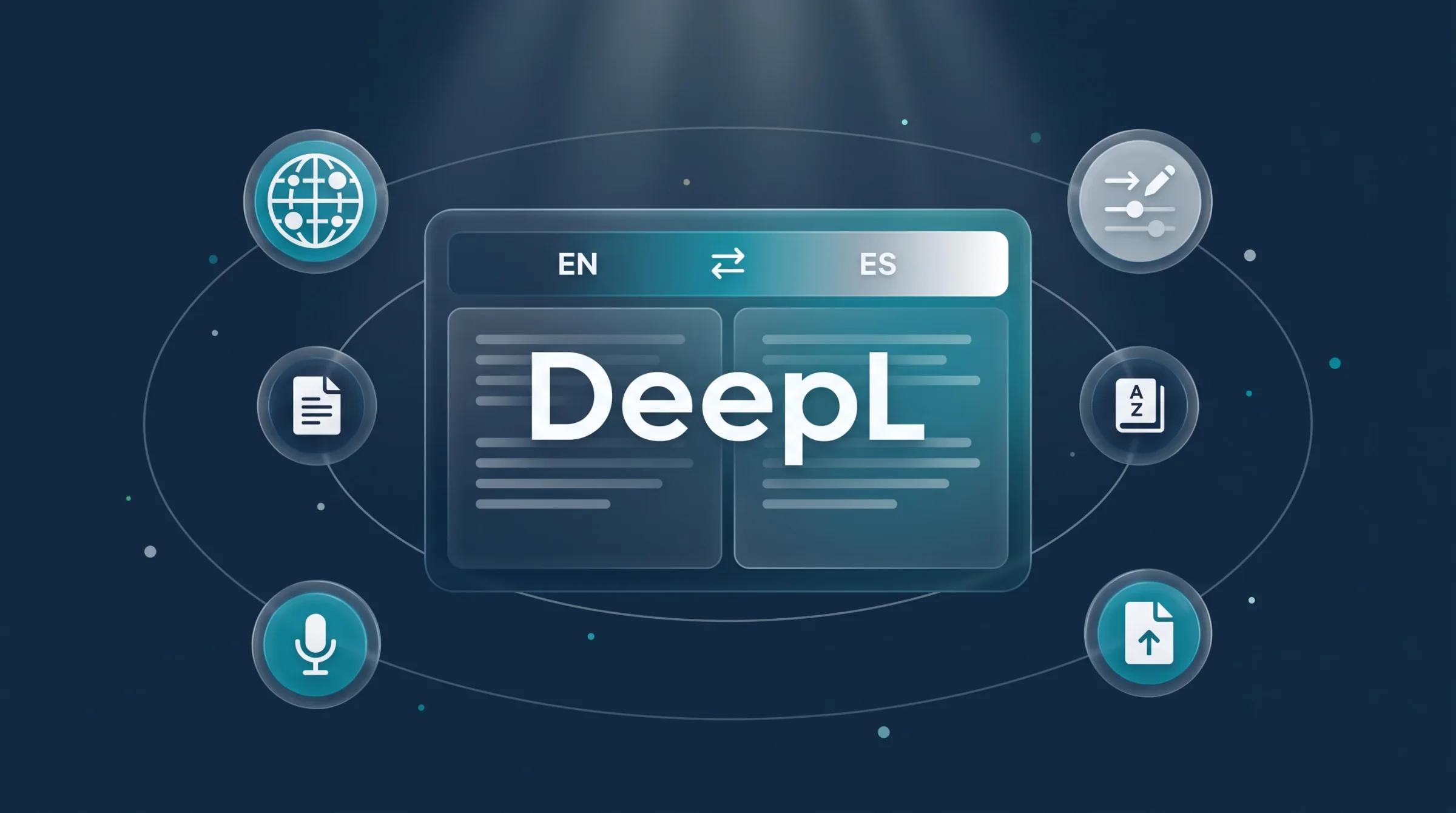
The older way to describe DeepL as “a translator with about 30 languages” is now outdated. DeepL is better understood as a language AI platform with several connected products: DeepL Translator, document translation, DeepL Write, DeepL API, DeepL Voice, glossary and customization tools, integrations, and enterprise security options. It is no longer just a paste-text-and-get-text product.
My verdict is positive, but with one important boundary. DeepL is excellent for producing a strong translation draft and often good enough for everyday business communication. It is not a replacement for a professional translator in high-risk contexts. Legal contracts, medical materials, financial disclosures, regulated documents, marketing claims, immigration documents, academic quotations, and public-facing statements still need human review. DeepL can reduce the translation workload dramatically, but the final responsibility stays with the person or organization publishing the words.
For casual users, the free translator may be enough. For translators, content teams, researchers, international businesses, support departments, legal teams, and developers, the paid products are where DeepL becomes genuinely valuable.
What DeepL Actually Does
DeepL’s core product is machine translation. You paste text, choose source and target languages, and receive a translation. The value is not just that it changes the language. The value is that it often produces phrasing that sounds natural instead of stiff, especially in widely used business and European language pairs.
DeepL also supports file translation. Instead of manually copying text from a Word document, PowerPoint deck, PDF, Excel workbook, HTML file, text file, subtitle file, or other supported format, you can upload the document and let DeepL translate it while preserving as much structure as possible. That is a big deal for real work. A translation that destroys formatting can create almost as much cleanup as translating manually.
DeepL Write is the writing side of the product. It improves spelling, grammar, punctuation, sentence flow, style, tone, and wording. It is not only for translation. You can use it to make English or German writing more professional, concise, warm, confident, or formal, depending on supported language and feature availability. DeepL’s API documentation notes that /write/rephrase tone and writing-style controls currently work for German, British English, and American English, so users should not assume every Write feature works equally across all languages.
DeepL API is for developers and companies that want translation inside their own apps, websites, support tools, localization systems, internal workflows, or products. The API supports text translation, document translation, glossaries, HTML and XML handling, language detection, client libraries, and usage controls. It is a better fit than the web app when translation needs to happen automatically at scale.
DeepL Voice is the newer expansion. It covers real-time voice translation for meetings, conversations, and API use cases. DeepL describes Voice for Meetings as supporting live translated captions in Microsoft Teams and Zoom Meetings, and Voice for Conversations as an in-person mobile workflow for frontline interactions. DeepL also offers Voice API options for embedded speech translation and live interpretation workflows, especially for business process outsourcing, contact centers, support, and sales.
Translation Quality
DeepL’s reputation comes from quality. In many language pairs, its output reads less mechanical than older machine translation systems. It often handles idioms, sentence rhythm, and business tone better than a literal translator. That makes it useful for emails, product pages, help articles, marketing drafts, research notes, internal documentation, and customer support replies.
The best use of DeepL is not blind copying. The best workflow is translation plus review. If you are translating a plain internal update, DeepL’s result may need only a quick scan. If you are translating a campaign, contract clause, medical instruction, or technical installation guide, you need someone qualified to check terminology and meaning. A fluent sentence can still be wrong. That is the trap with good machine translation: the output can look so polished that mistakes become harder to notice.
DeepL is especially useful when the source text is clean. Short, well-punctuated sentences with clear terms translate better than messy drafts full of ambiguous pronouns, typos, internal slang, and broken formatting. If you want better DeepL output, improve the original first. Remove unclear references, define acronyms, and avoid burying key meaning inside overloaded sentences.
DeepL is weaker when language coverage, cultural adaptation, and domain accuracy matter more than sentence fluency. It can translate words, but it may not localize strategy. A tagline, legal phrase, joke, UX microcopy, or culturally sensitive statement may need human judgment even if DeepL’s grammar is perfect.
Document Translation
Document translation is one of DeepL’s most practical advantages. It supports common work formats through both the product and the API. The developer documentation lists document translation support for Word files, PowerPoint files, Excel files, PDF, HTML, plain text, XLIFF, SRT subtitles, and image formats such as JPEG and PNG in beta.
This matters because business translation is rarely just text in a box. Teams need to translate contracts, reports, pitch decks, product sheets, support articles, subtitles, onboarding materials, and spreadsheets. If a tool keeps layout close to the original, it saves hours of formatting cleanup.
There are still limits. Documents with complex tables, screenshots, scanned text, unusual fonts, columns, text boxes, headers, footers, or heavy design can require manual cleanup. PDF translation is useful, but PDFs are not always clean source files. A well-structured Word document will usually behave better than a scanned PDF with layered text and graphics.
API users also need to watch billing rules. DeepL’s document API documentation says that with API plans, submitted pptx, docx, doc, xlsx, or pdf documents are billed with a minimum of 50,000 characters per document, even if the file contains fewer characters. That can matter a lot if your workflow translates many small documents. For one-off users, it may not be a big deal. For developers building a document pipeline, it is a cost-design issue.
Glossaries and Customization
DeepL’s glossary feature is a major reason businesses choose it over casual translators. A glossary lets you define preferred translations for words and short phrases. That is essential for brand names, product features, legal terms, technical phrases, industry jargon, UI labels, and customer-facing terminology.
The important detail is that DeepL’s glossary is not just a crude find-and-replace system. DeepL says glossary terms are adapted grammatically in context. In practice, this means a term can be applied with proper inflection rather than being jammed into a sentence awkwardly. That is useful for languages where noun cases, gender, verb forms, and agreement matter.
DeepL has expanded customization beyond simple glossaries. Its help center groups glossaries inside a broader customization hub that can include style profiles, style rules, and translation memory. The developer documentation also references style rules for target languages such as German, English, Spanish, French, Italian, Japanese, Korean, and Chinese. This is the right direction for professional localization because translation quality is not only about the first output. It is about consistency across thousands of words, multiple teams, and many channels.
There are caveats. Glossary availability can depend on the platform, plan, language pair, and whether you are using the website, desktop app, file translation, Microsoft 365 integrations, Voice for Microsoft Teams, or API. DeepL’s help center also notes that free-user glossary entries are stored locally in the browser, while paid and API workflows have more management options. If glossary control is a buying reason, test it with your real languages and files before committing.
DeepL Write
DeepL Write is useful when the problem is not translation but expression. It can clean grammar, fix punctuation, polish awkward sentences, suggest alternatives, and adjust tone. For professionals writing in a second language, this can be just as valuable as translation. It helps turn understandable writing into natural writing.
The strongest use cases are business emails, reports, cover letters, academic drafts, internal notes, customer replies, and short marketing copy. It is also useful after translation: translate the text, then use Write to smooth tone in the target language where supported.
DeepL Write should not be confused with a full content strategy tool. It does not replace research, positioning, storytelling, editing judgment, or SEO planning. It improves the writing you give it. If the argument is weak, the facts are wrong, or the structure is confusing, Write may make the text sound better without solving the deeper issue.
The other limitation is language and feature coverage. DeepL’s public product page presents Write broadly, but the API documentation is more specific about which languages support style and tone controls for text improvement. Anyone buying DeepL primarily for Write should test the exact target languages and writing controls they need.
DeepL Voice
DeepL Voice is one of the biggest changes to DeepL’s product story. In 2024, DeepL introduced voice translation for meetings and conversations. In 2026, DeepL expanded the voice story further with real-time voice-to-voice translation, meeting support, conversation workflows, and API options.
Voice for Meetings is aimed at multilingual business meetings. DeepL says it works with Microsoft Teams and Zoom Meetings and provides live translated captions. This is valuable when colleagues can understand each other without waiting for post-meeting summaries or hiring an interpreter for every routine call.
Voice for Conversations is aimed at in-person interactions. DeepL frames it for frontline workers, customer interactions, and face-to-face service moments where two people need to communicate quickly. It is available on iOS and Android.
DeepL Voice API is for companies that want speech translation inside their own workflows: customer support, sales calls, contact centers, BPO teams, and other voice-heavy environments. This is not the same as the free web translator. It is an enterprise and developer product.
The cautious view is that voice translation is harder than text translation. Real-time systems must balance latency and accuracy. Background noise, accents, overlapping speech, technical vocabulary, poor microphones, and cultural nuance can affect results. DeepL’s expansion is promising, but businesses should pilot Voice in realistic conditions before relying on it for high-stakes meetings, healthcare, legal conversations, or safety instructions.
API and Developer Use
DeepL’s API is strong for companies building multilingual products. It supports text translation, document translation, glossaries, HTML and XML handling, language detection, official client libraries, cost controls, and usage analytics. DeepL lists official client libraries for Python,.NET, Node.js, PHP, Ruby, and Java, plus an OpenAPI spec for teams that want to generate their own client.
The API Free plan allows developers to translate up to 500,000 characters per month for free. DeepL’s help center says API Free does not include DeepL Write or speech-to-text translation. API Pro adds pay-as-you-go usage, stronger data security, cost controls, API key usage limits, CAT tool plug-in use, API access for Write, speech-to-text translation, and access to newer language model capabilities and additional languages.
The pricing model is character-based, not token-based like many large language model APIs. That can make costs easier to forecast for translation-heavy apps. But document minimums, feature access, regional availability, and overage behavior still matter. Developers should design with cost limits from the beginning, especially if end users can submit large files or translate automatically in loops.
DeepL is a strong API choice when translation quality and terminology control matter. It may be less flexible than a general LLM if you want translation mixed with reasoning, summarization, formatting decisions, and content rewriting in one prompt. Many teams will use both: DeepL for translation and a general AI model for analysis or content transformation.
Security and Privacy
DeepL’s business pitch leans heavily on data security, and that is fair. DeepL Pro and API Pro are built for professional use, not casual copy-paste translation of sensitive material into an unknown service. DeepL says API Pro deletes text immediately after translation or improvement. DeepL Voice pages say voice data is not used to train language models, and Voice for Meetings data is processed temporarily in memory and deleted after the call ends.
DeepL also presents enterprise security controls such as SSO, multi-factor authentication for non-SSO users, role-based permissions, audit logs, network access restrictions, security documentation through its Trust Center, and compliance claims including ISO/IEC 27001:2022, SOC 2 Type 2, GDPR, and HIPAA for relevant voice contexts.
That does not mean every user can ignore policy. Companies should still review DeepL’s data processing agreement, privacy policy, regional endpoint options, retention terms, and plan-specific controls. A free consumer workflow is not the same as a paid enterprise workflow. If your organization handles confidential client data, patient data, unreleased financial information, litigation documents, or regulated records, do not rely on marketing copy alone. Confirm the contract and security documents.
Pricing and Plans
DeepL pricing depends on product, region, currency, plan, billing period, and whether you are buying through the web, sales, app stores, or enterprise channels. That is why a single static price in a review can become misleading quickly.
The product families are DeepL Pro for translation, DeepL API for developers, DeepL Write Pro for writing assistance, DeepL Voice for Meetings, DeepL Voice for Conversations, Voice API, and DeepL for Enterprise. DeepL’s own help center notes that plan offerings have changed and that users should check the pricing page for plans available in their region.
For individual and team users, the paid value usually comes from higher usage, document translation, better data handling, glossary support, team management, and integrations. For API users, the value comes from automated translation, usage limits, developer controls, and integration into products or internal systems. For enterprise buyers, the value comes from security, administration, customization, contract terms, and voice or workflow scale.
The honest buying advice: do not choose DeepL based only on the monthly subscription price. Check the character limits, document limits, file-type support, number of users, glossary needs, team controls, data terms, API access, and whether Write or Voice is included. A cheap plan that does not support your real workflow is not cheap.
Best Use Cases
DeepL is best for professional translation drafts, multilingual business communication, document translation, localization support, technical terminology control, customer support content, academic reading, and international team communication.
Translators can use DeepL as a first-draft and post-editing tool. It can speed up routine work, but professional translators still add context, judgment, consistency, and cultural awareness. Content teams can use it to localize help centers, blog drafts, product descriptions, release notes, and internal communications. Legal and compliance teams can use it to understand documents faster, but they should still route final legal wording through qualified review.
Developers can use the API to translate apps, websites, support tickets, user-generated content, and documents. Enterprises can use glossaries, customization, integrations, and voice translation to support multilingual operations. Researchers and students can use DeepL to understand foreign-language sources, though quotations and citations should always be checked against the original.
DeepL is less ideal if you need the broadest possible language coverage, free unlimited translation, creative copy adaptation without human involvement, or one AI assistant that translates, researches, writes, codes, and creates images in a single interface. DeepL is a specialist. That is its strength and its limitation.
DeepL vs Google Translate and ChatGPT
Compared with Google Translate, DeepL often wins on natural phrasing in professional text. Google Translate usually wins on breadth, availability, everyday convenience, and coverage across more casual scenarios. If you just need to understand a sign, menu, or quick phrase, Google Translate may be enough. If you need a polished business translation or repeatable terminology control, DeepL is usually stronger.
Compared with ChatGPT and other general AI assistants, DeepL is more specialized. A general AI tool can translate and then explain, summarize, rewrite, or localize creatively. But it may be less predictable with terminology, plan-specific privacy, document handling, and translation-only workflows. DeepL is better when translation is the main job. ChatGPT-style tools are better when translation is only one step in a broader reasoning or content process.
Compared with human translators, DeepL is faster and cheaper for first drafts, but it lacks accountability, domain expertise, and cultural judgment. The right workflow is often DeepL plus human review, not DeepL versus humans.
Final Verdict
DeepL is worth it in 2026 if translation quality affects your work. It remains one of the best tools for turning text and documents into natural multilingual output, and its professional features make it far more useful than a basic free translator. The addition of Write, API workflows, customization features, and Voice makes DeepL more complete than it used to be.
The best buyer is not someone who translates one sentence every few weeks. The best buyer is a person or team that repeatedly works across languages and needs consistent, secure, polished output. For that user, DeepL can save serious time.
The main caution is that DeepL’s quality can make it easy to overtrust. Use it for speed, drafts, formatting preservation, terminology control, and multilingual communication. Keep humans in the loop for sensitive, regulated, public, or high-stakes material. With that workflow, DeepL is still one of the easiest AI translation tools to recommend.
Reference Sources
Ready to try DeepL?
Start using it today and see the difference for yourself.
Related Topics
Weekly digest
Don't buy blind.
Weekly AI tool reviews and benchmarks delivered to your inbox.
No spam. Unsubscribe anytime.

AIUnpacker Editorial Team
Verified ReviewerA collective of engineers, journalists, and AI practitioners dedicated to providing hands-on, transparently disclosed analysis.